Senior Googlers
CSCI 4800
Daniel Figiel, Thomas Horn, Drew Jenkins, Eric Kim, Adamya Singh, David Youngblood
MilestonesSynopsis
Improving Hybrid Synchronous learning by improving software to increase student-student and teacher-student engagement.
Online learning has steadily risen over the past decade, and as of December of 2019, both syncronous and asynchronous online learning platforms such as Udacity and Coursera are projected to reach a market value of $350 billion dollars.
However, Covid-19 created a new instructional format, known by the University of Georgia as Hybrid Synchronous Instruction, which faces different challenges than purely online learning.
Hybrid Synchronous Instructional Format
A certain number of students (as determined by the classroom capacity) join the instructor on a rotating basis for socially-distanced, face-to-face instruction during each class session, with remaining students primarily joining synchronously through Zoom (or some other secure platform) during assigned class hours. The class will meet at the regularly scheduled days/times with some students attending in-person on campus and some students attending via Zoom or remotely.
These Hybrid Synchronous classrooms rely on a combination of tools like Zoom to allow students and teachers to interact with one another, and learning platforms like Moodle or Blackboard to organize course content.
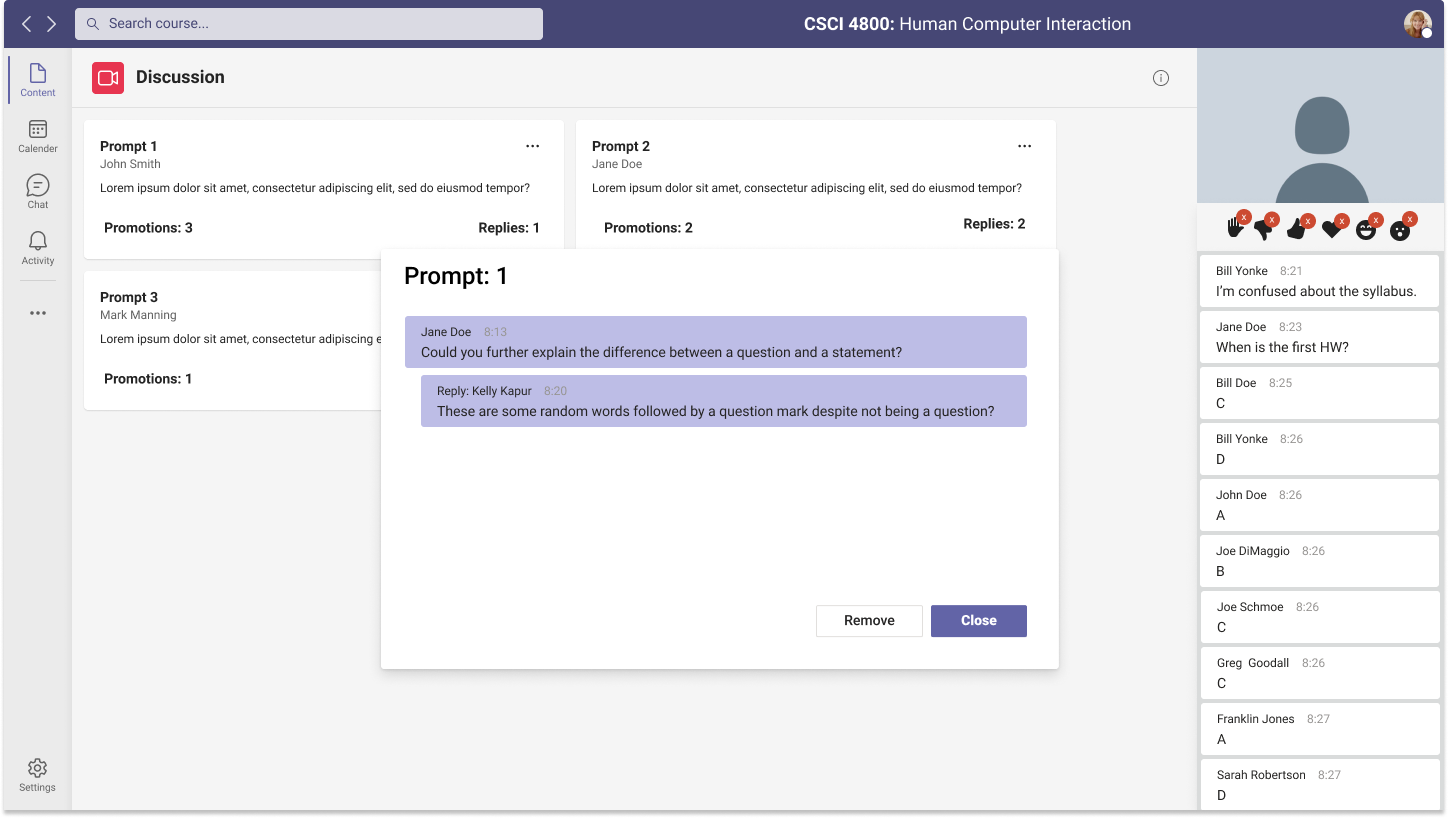
However, juggling multiple platforms creates disorganization and do not integrate with the zoom "classroom". Zoom and other video-chat platforms perform that job well but fall well short of a classroom environment when it comes to asking questions, discussing topics, getting the teacher's attention, and other forms of teacher-student or student-student interactions.
The Senior Googlers aim to eliminate the difference between in-person and online students and create the same learning experience independent of location by improving the interaction systems of Zoom, and integrating them with the organizational and feedback-driven systems of learning platforms like Moodle or ELC.
Task / Problem Definition
Student engagement in Hybrid Synchronous classes is poor, and both student-student and student-teacher interaction needs improvement.
A study by Guo and Kim (2014) found that student engagement drops up to 50% in just 7-9 minutes of watching an online lecture. Yale's Center for Teaching and Learning acknowledges these problems with online learning, and specifically recommends Teachers use Zoom's interative tools to improve student engagement. They focus on using Zoom's chat and other non-verbal feedback tools, such as polling and emoji reactions, but anyone who has used these features know they are not up to the standard that should be required for an online learning platform.
As a video chat platform, it makes sense that Zoom's non-verbal feedback systems take a backseat to interacting over video. However, this is hugely problematic for Hybrid Synchronous instruction. Student-student interaction is forced to rely on students willingly engaging with each other over chat, which requires students noticing an ongoing discussion in the first place.
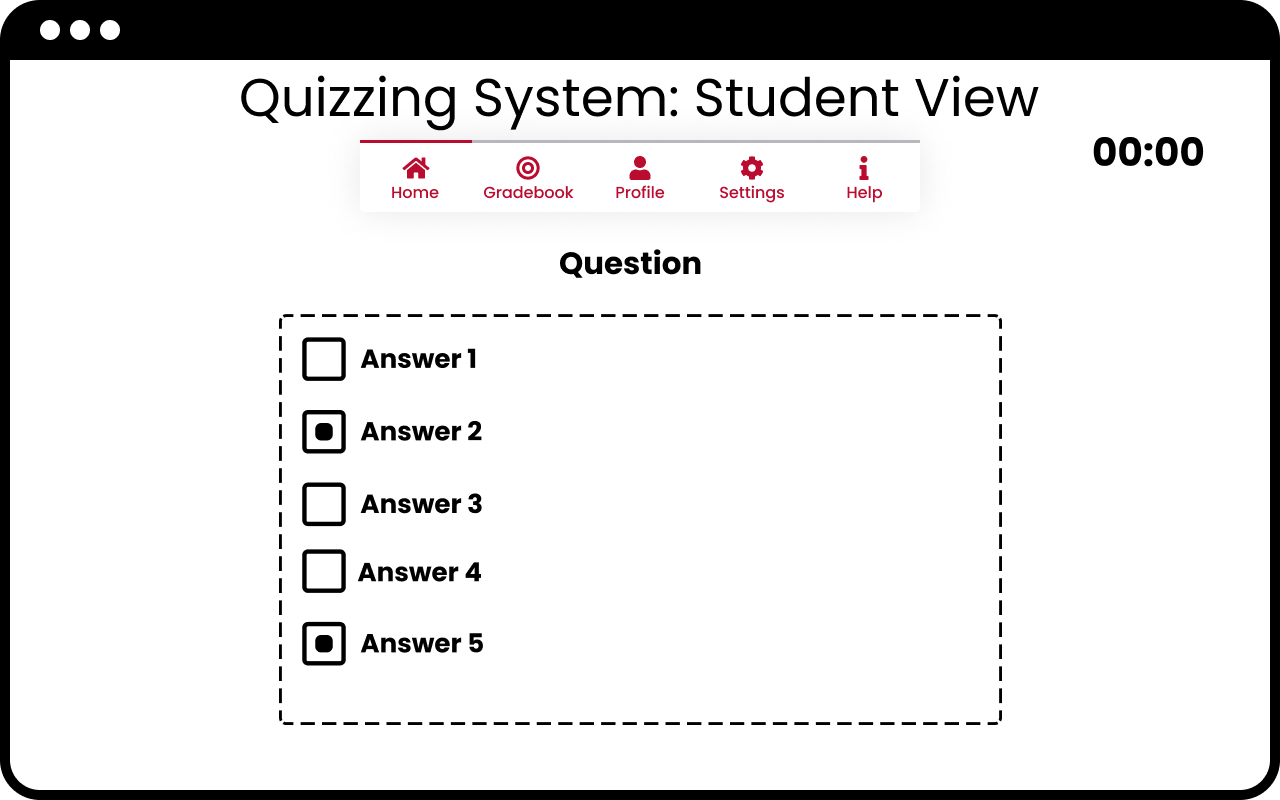
Similarly, simply asking a question to the professor requires the student either hope the professor notices they have raised a question (or used the "raise hand" feature to indicate they have a question), or interrupt the professor to ensure they are heard. The polling interface is also rudementary and is not a 1:1 replacement for a true quizzing system like Kahoot, and requries students willingly engage with the question. The teacher must manually check who answered the poll, if they wish to enforce student poll engagement.
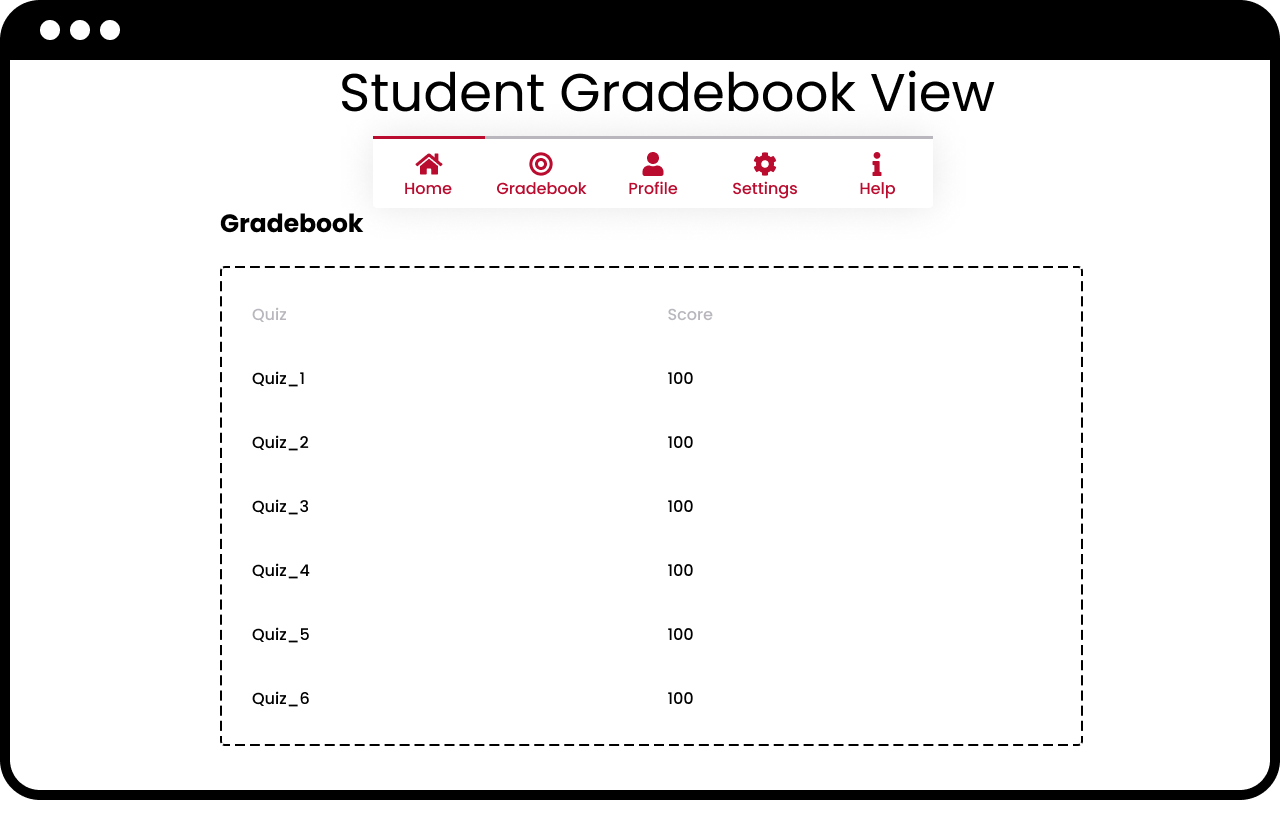
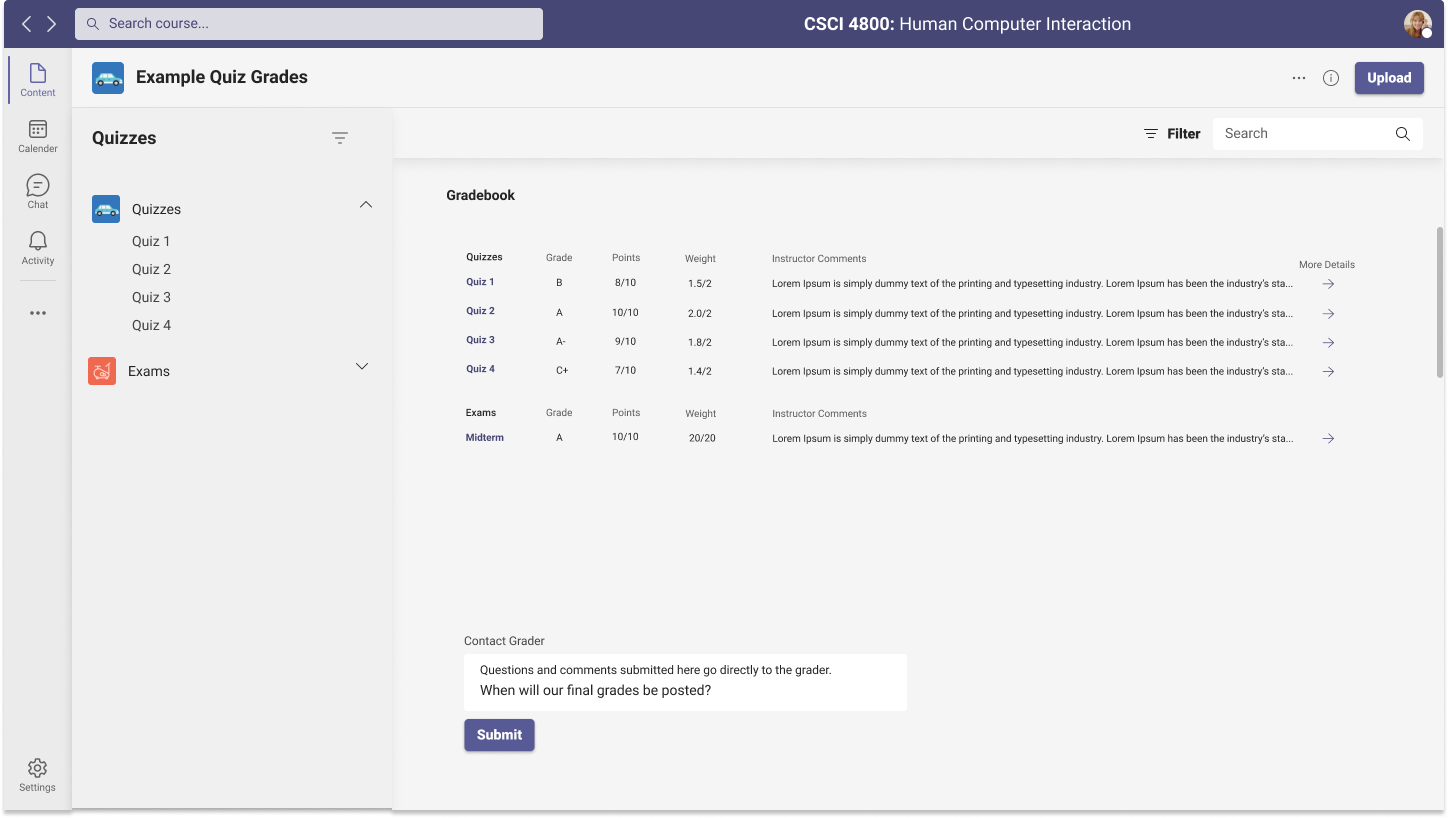
All of these systems also suffer from a lack of integration with a learning platform like Moodle or ELC, and any data from polls or discussion is lost as soon as the zoom meeting ends, further diminishing the student's ability to get feedback from a Hybrid Synchronous format.
Seven Stages of Action
To illustrate the difficulties faced by Hybrid Synchronous students, we will use the Seven Stages of Action to demonstrate the difference between online and in-person students asking a question. Interacting with the instructor by asking questions or making comments is a critical part of any classroom setting.In-Person
- Goal: a student wants to get the attention of the instructor.
- Plan: have the instructor's attention and ask the question.
- Specify: the student will need to raise their hand.
- Perform: physically raise hand.
- Perceive: the instructor pays attention to you.
- Interpret: the instructor gives verbal or non-verbal acknowledgement that you have their attention.
- Compare: the question or comment can now be asked if the process was successful.
Online
- Goal: a student wants to get the attention of the instructor.
- Plan: have the instructor's attention and ask the question.
- Specify: the student needs to decide whether to raise their hand emoji, send a chat message, or interrupt the lecture.
- Perform: "raise hand", send a message through chat, or interrupt the lecture.
- Perceive: the instructor pays attention to you.
- Interpret: the instructor gives verbal, non-verbal, or visual acknowledgement that you have their attention.
- Compare: make sure the instructor actually acknowledged your non-verbal attempt to get their attention, and then actually addresses the comment or question.
Potential Users
Instructors and students are the obvious users of this technology. However, improving person-person interactions will aid all potential users who utilize similar hybrid meeting formats.
Analysis of Existing Solutions
Brief Analysis of Current Tools
There are a handful are a large number of learning management systems (LMS) and video chat options available, but only a handful are useable at large universities like UGA. However, none of these systems are an all-encompassing solution to bridge the in-person vs. remote experience gap.
- Zoom
- 300 million users
- Specialized for video conference and common in both schools and businesses
- Features some rudimentary tools for non-verbal communication
- No course content organization
- Blackboard
- 100 million users
- "De facto standard" - longetivity and large market share
- Outdated and subpar user experience leads to frustrated students
- Moodle
- 78 million users
- User friendly interface and ease of integration
- Allows plugins that can add features like video chat
- Canvas
- 30 million users
- Widely accessible and rapidly growing
- Responsive to every device type
- Intuitive content organization
- Lacks easy tracking of some course elements (course progression)
Potential Guidelines and Solutions
Accessibility is a priority for these platforms, as making sure all groups of students and faculty have easy access to the same information allows the platform to be universally usable.
Learning management systems must streamline common action sequences (i.e. accessing assignments and grades, uploading documents to dropboxes, receiving announcements), so that the time to learn is as short as possible.
Error prevention and ample feedback are very important as they prevent confusion amid actions or mistakes (i.e. submitting an exam or assignment, displaying confirmation receipt when a time-sensitive discussion board is made public).
All three of the above principles and guidelines would bolster the user experience of our project.
Proposed Solution
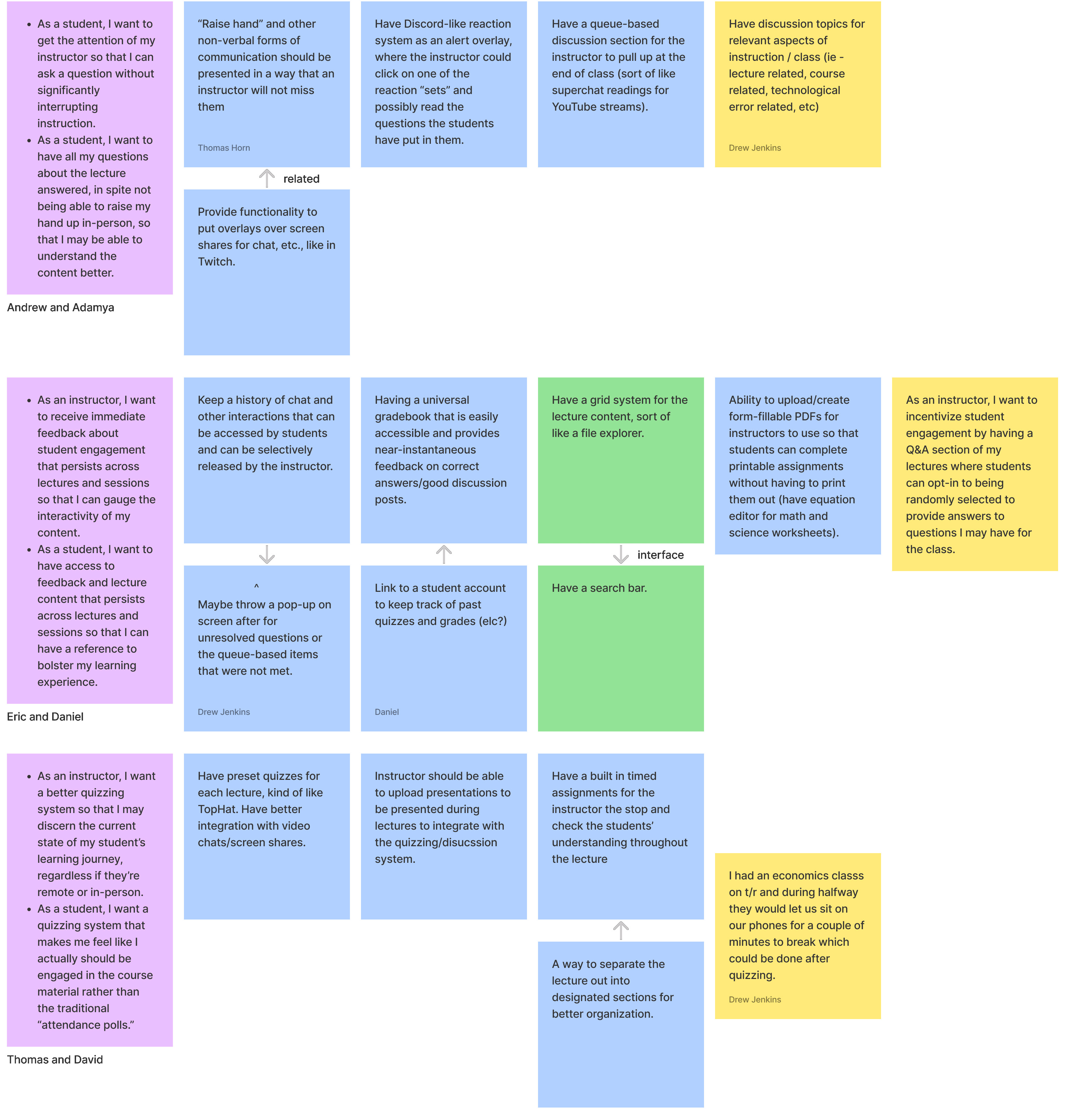
Currently, courses are limited to the functions of the platforms they are on (i.e. Zoom not being built for an education environment and TopHat having a relatively large lead time), so the creativity of educators has been bottlenecked.
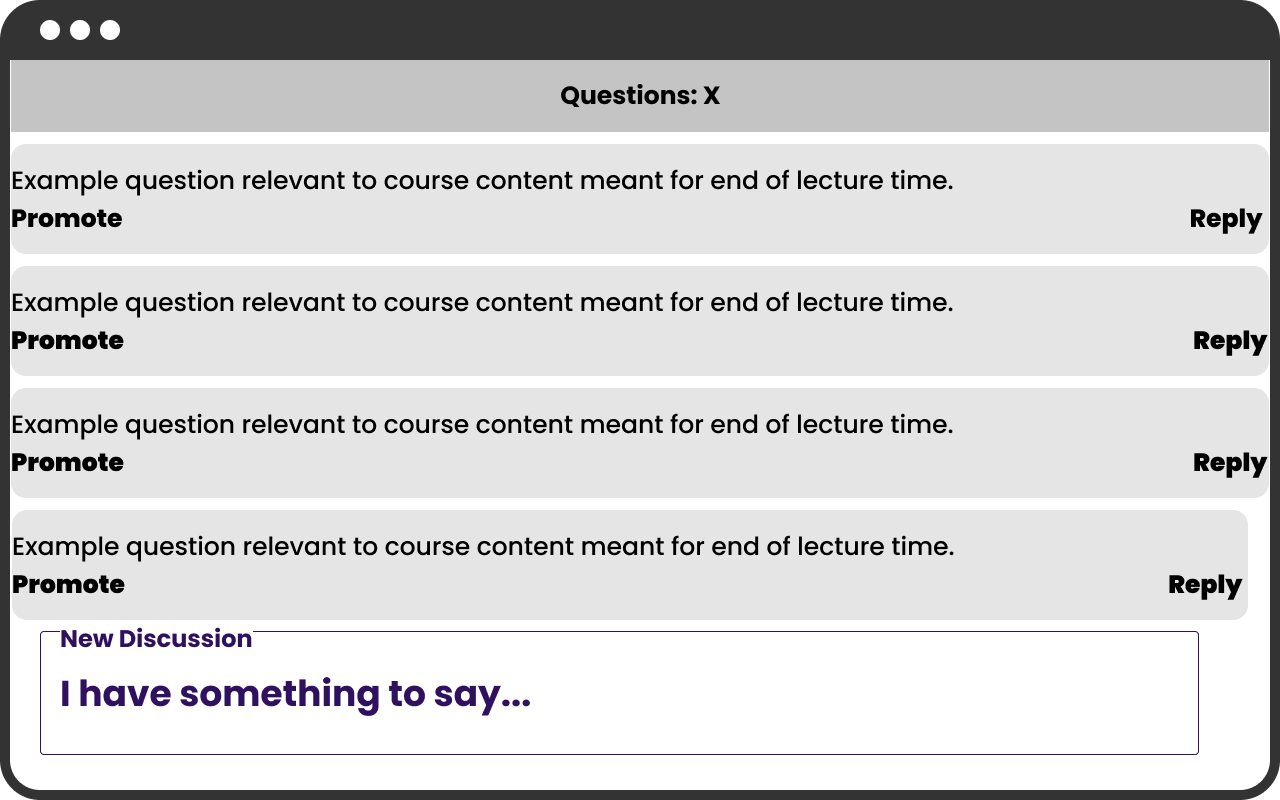
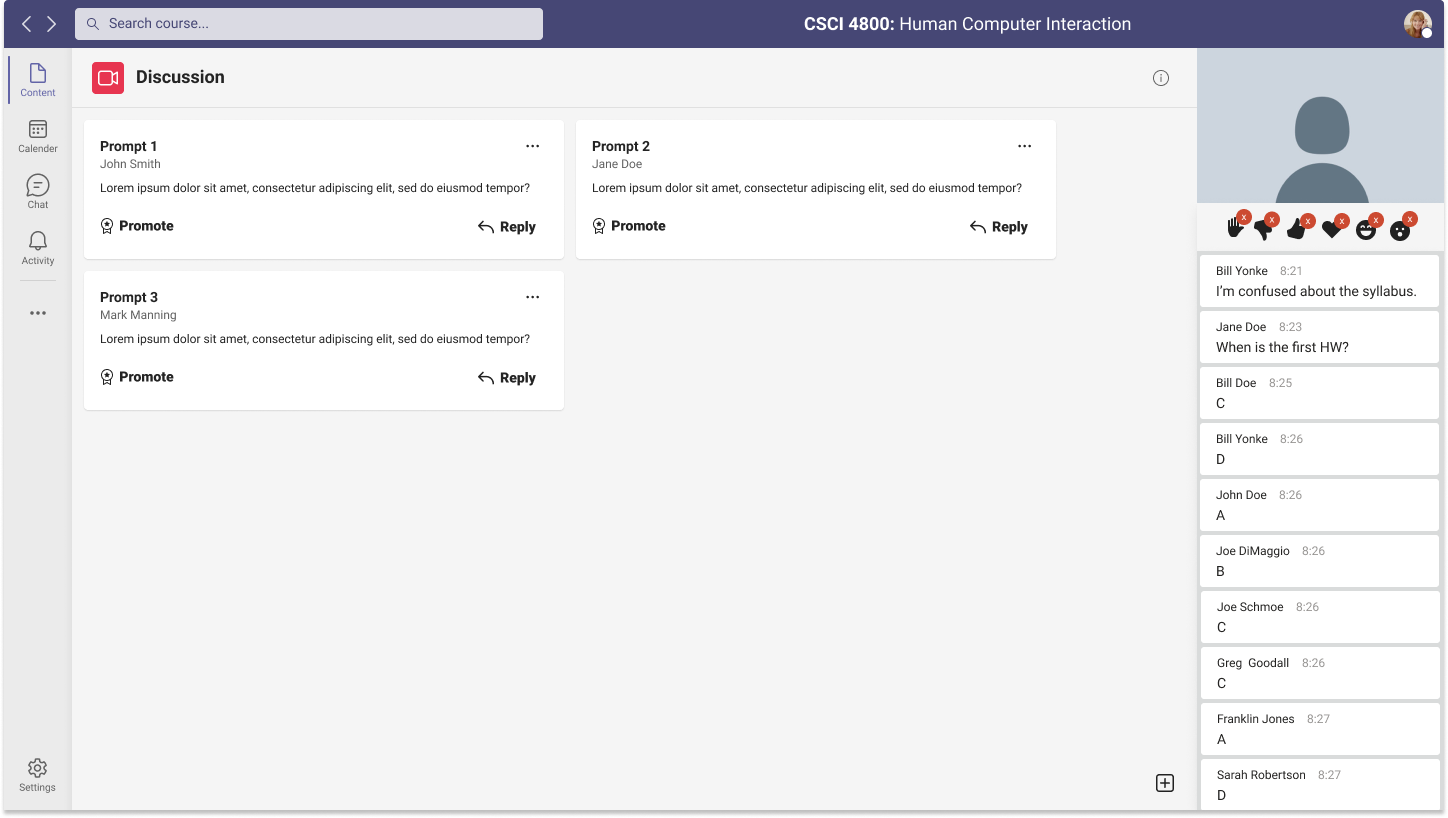
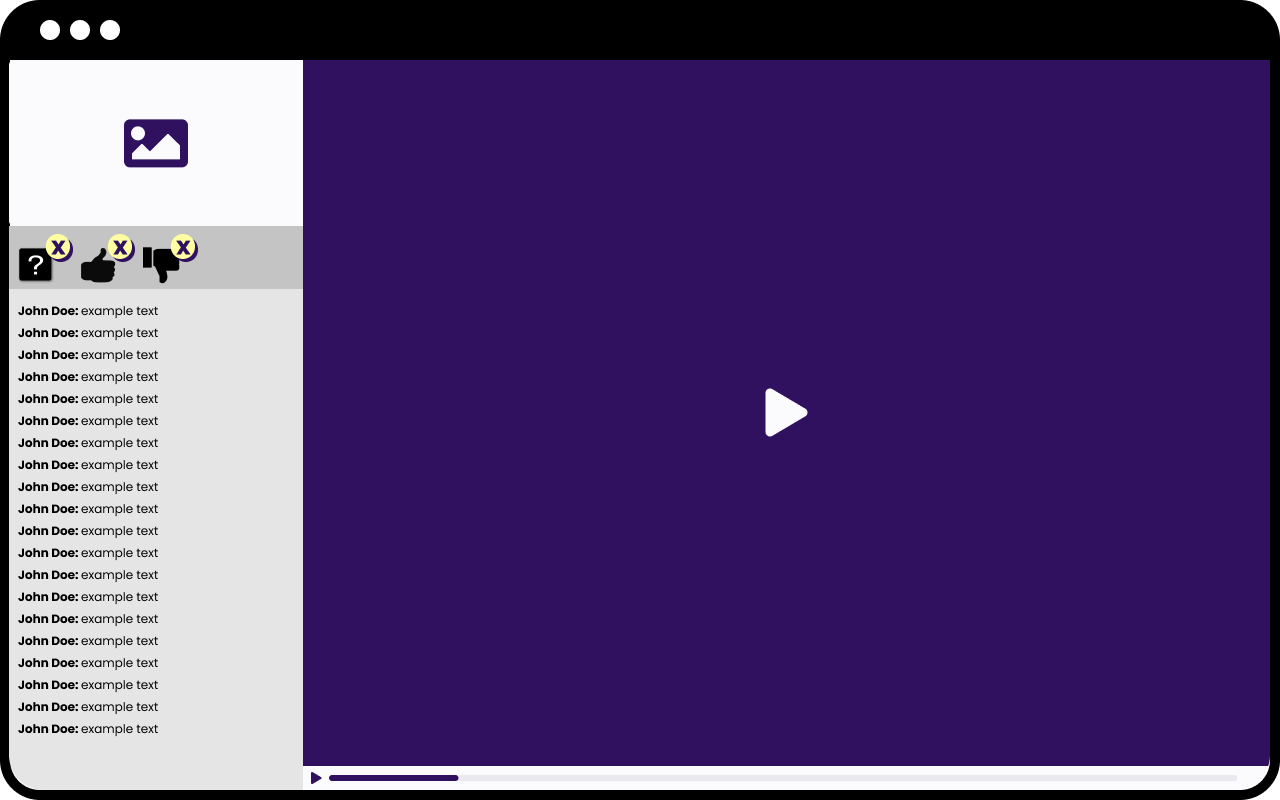
By having a specialized platform built to serve both remote and in-person students, educators can focus on their curriculum while also maintaining a consistent experience across both modes of learning. For example, our project would improve Zoom's relatively lackluster non-video engagement systems where chat messages are often unseen and nothing is persisted between classes. In doing so, students may receive immediate and accessible feedback for the interactions they made during the lecture and the gap between those attending in-person and remotely may shrink.
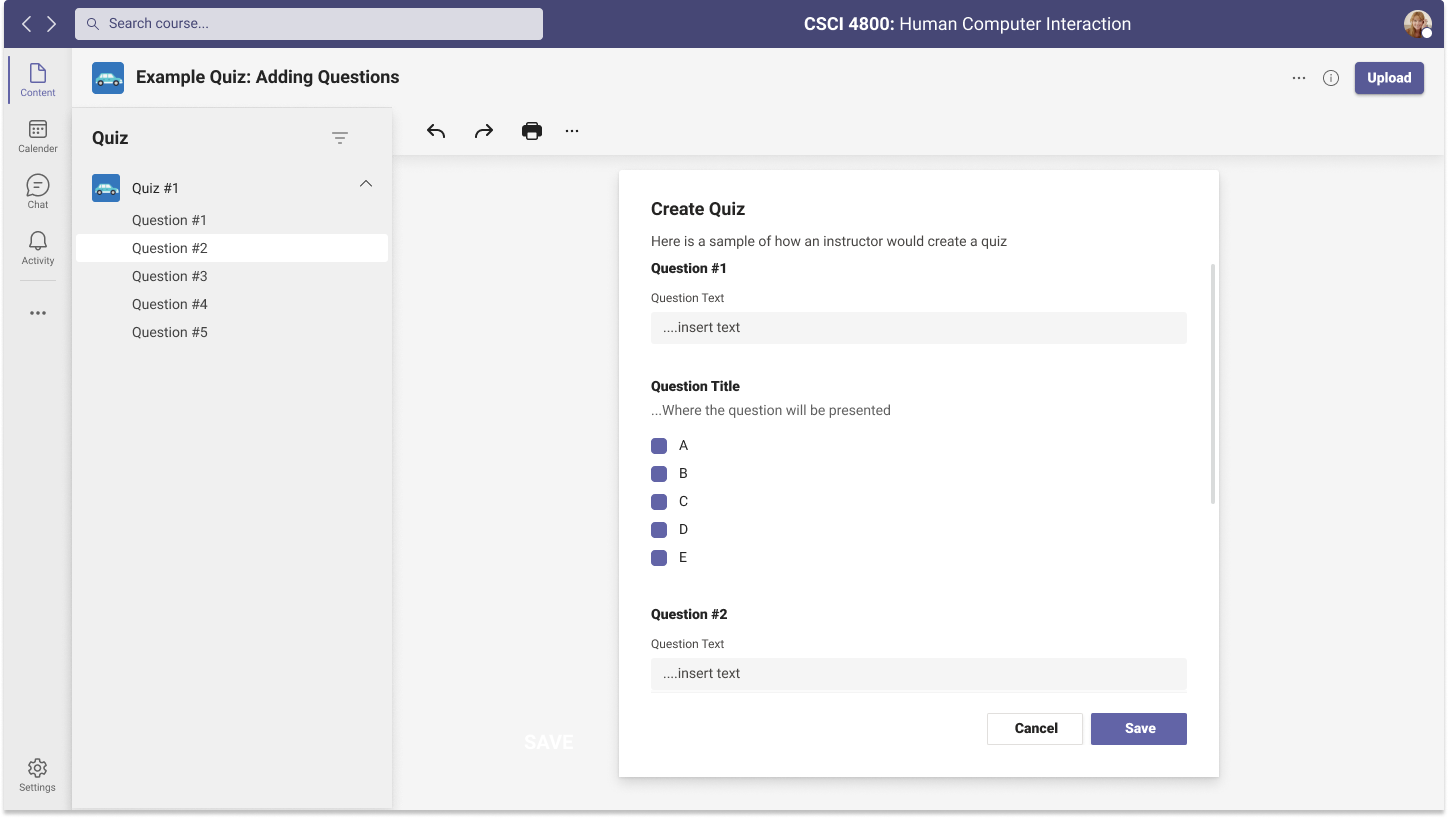
Additionally, improving the quizzing system will bolster engagement with those attending remotely, allowing remote students to better focus on the lecture contents. On the other hand, the professor can also receive immediate feedback from students instead of speaking to what is essentially a void of black rectangles.
Measuring Success
- Increased participation from students on both modes of learning compared to already existing solutions. One way to measure this would be to log the various interactions the students engage in.
- Anonymous student polling to determine their satisfaction with the usability of the platform compared to products like Zoom and Blackboard Learn.